
Did you know that 71% of small businesses increased their online sales after launching a professional website? I’ve helped hundreds of entrepreneurs build their dream websites, and Squarespace consistently proves to be the fastest route to a stunning online presence. Whether you’re a creative professional, small business owner, or just starting your digital journey, this guide will help you launch your website in under 60 minutes.
Getting Started with Squarespace

Creating Your Account
The journey to a professional website begins at Squarespace.com. Sign up using your email address, Google account, or Facebook credentials. The platform instantly provides access to a user-friendly dashboard that serves as your website command center.
Template Selection
Squarespace offers an extensive collection of professionally designed templates. Each template is categorized by purpose – portfolios showcase creative work, business templates highlight services and e-commerce designs optimize online sales. Browse through the categories relevant to your goals and select a template that aligns with your vision.
Customizing Your Digital Presence
Design Elements
The Site Title and Logo section forms the foundation of your brand identity. Upload your existing logo or create a text-based title that represents your business. The global design settings allow systematic modifications to colors, fonts, and spacing, ensuring consistency across your entire website.
Page Structure
Build your website’s framework by adding essential pages. The standard structure includes:
- Homepage: Your digital storefront
- About: Your story and mission
- Contact: Connection points with visitors
- Services/Products: Your offerings
The drag-and-drop interface enables quick reorganization of these pages in your navigation menu.
Content Implementation
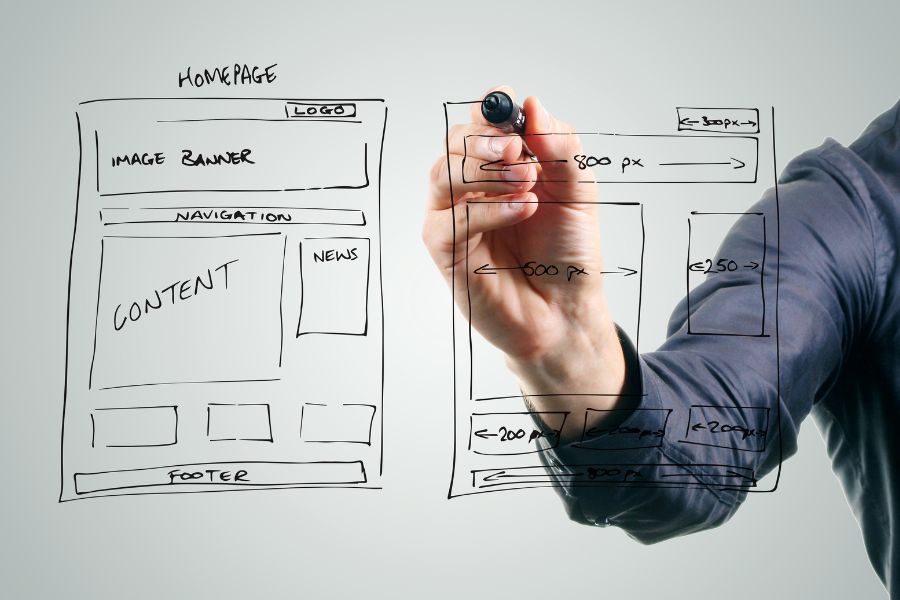
Building Blocks
Squarespace’s content blocks system simplifies website creation:
- Text blocks for compelling copy
- Image blocks for visual impact
- Gallery blocks for portfolio displays
- Video blocks for multimedia content
Each block features intuitive editing tools – simply click and modify content directly on the page.
Mobile Optimization
Responsive Design
Every Squarespace template automatically adapts to different screen sizes. The mobile preview mode offers real-time visualization of your site across devices. This feature enables:
- Content alignment verification
- Navigation menu testing
- Image scaling assessment
- Loading speed evaluation
Domain and SEO Configuration

Domain Setup
Establish your professional web presence by:
- Registering a new domain through Squarespace
- Connecting an existing domain
- Managing DNS settings through the Domains section
Search Engine Optimization
Squarespace integrates essential SEO tools:
- Custom page titles
- Meta descriptions
- Keyword optimization
- Automatic sitemap generation
These features enhance your website’s visibility in search results.
Essential Features Integration
Social Media Connection
Link your social media presence seamlessly:
- Add social media icons
- Enable sharing buttons
- Integrate Instagram feeds
- Connect Facebook Pixel
Contact Management
Implement communication channels:
- Custom contact forms
- Newsletter signup forms
- Feedback collection tools
- Automated responses
E-commerce Capabilities
For online sellers, Squarespace provides:
- Product catalog management
- Inventory tracking
- Secure payment processing
- Order fulfillment tools
Final Launch Preparations

Quality Assurance
Before publishing, conduct thorough testing:
- Verify all navigation links
- Test contact form submissions
- Check payment gateway functionality
- Review mobile responsiveness
- Validate social media connections
Analytics Setup
Enable built-in analytics tools to:
- Track visitor behavior
- Monitor page performance
- Analyze traffic sources
- Measure conversion rates
With your website fully configured and tested, clicking “Publish” makes your new site accessible to the world. The platform’s integrated analytics and marketing tools provide ongoing insights for continuous improvement and engagement optimization.
Your Website Success Blueprint
Your professional website is now ready to make its mark online! Remember that Squarespace’s intuitive platform means you can continue to refine and grow your site as your needs evolve. Start your free trial today and transform your online presence in just one hour.
Leave a Reply